
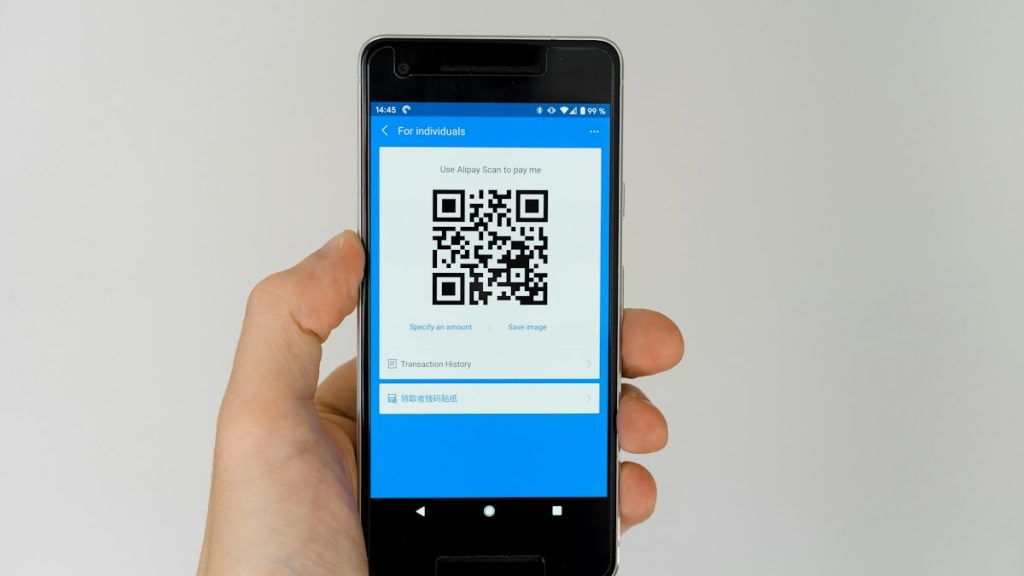
You pick up your phone to look at a price list or pay for a service. A link appears; you click on it, and a few seconds later, a page asks for your card information. How do you know you’ve ended up where you were supposed to?
QR codes save us from having to type. That’s exactly what scammers take advantage of: the destination is hidden within a pattern we can’t read with our eyes. A familiar environment, a logo, or our own haste can make the next click seem like a no-brainer.
The Microsoft Digital Defense Report 2026 cites over 145 million detections of QR code-based phishing attacks by Microsoft Defender for Office 365 between July 2025 and June 2026. These are detections within that specific system; they do not represent an equal number of victims or confirmed financial losses.
What is quishing, in simple terms?
It’s phishing that uses a QR code to lure you into a trap. Instead of a link in a message, you see a small square that might be on a printed piece of paper, a sticker, or a screen. The page that opens may mimic a well-known service and ask for information.
The fact that the camera recognized a code does not verify who created it. On an iPhone, for example, the Camera app displays a link to the recognized content. Recognizing and opening the link are steps that require caution.
The sticker that can change the destination
The U.S. Federal Trade Commission (FTC) has warned of cases in which scammers covered parking meter QR codes with their own codes. The warning does not mean that every QR code in a public space is suspicious. However, it does illustrate why we need to pay attention to the physical location of the QR code as well.
Check for a second sticker over the original one, a sloppy application, or inconsistencies with the rest of the signage. A crisp print alone isn’t enough to trust a code. If something seems off, ask the person in charge instead of trying to make a payment “just to see.”
The Five Checks to Make Before Sharing Information
- Consider the context. Were you expecting this QR code? Is it related to what you’re trying to do, or did it suddenly appear alongside a threat, a gift, or a supposedly urgent problem?
- Check the actual URL. If a preview is displayed, read it. Watch out for small changes in letters. If it’s cut off or you don’t understand the destination, use a different link.
- Check if the request makes sense. Why would simply viewing a directory require an email password? Why would an informational brochure ask you to install an app?
- Don’t trust just the appearance. A copied logo doesn’t prove authenticity. Nor does HTTPS guarantee that the business behind the page is legitimate—it simply indicates that the connection is encrypted.
- Verify through a trusted source. For accounts and payments, open the app you already use or go to the official website you know. Don’t call the number provided in the suspicious message.
An everyday example worth remembering
Imagine you’re in a store and you scan a code for the catalog. The page first asks you to log in with your email and password. The question isn’t whether the screen looks professional. It’s why this information is needed for such a simple action.
Ask the staff if this is indeed the procedure. A quick clarification can save you from a much bigger hassle.
If you’ve already scanned, check exactly what you did
- You only saw the preview: Don’t proceed to a questionable destination. The appearance of a link does not prove a security breach.
- You opened a page without entering any information: Close it. Do not accept any downloads, installations, or permissions. Simply opening the page isn’t enough to conclude that your account has been compromised.
- You provided your password: Log in through the official service, change your password, and check your activity, connected devices, and recovery information. Change it wherever else you’ve used the same password.
- You provided payment information or authorized a transaction: Contact your bank immediately through an official channel and explain what happened.
- You installed something: Your device needs to be checked. Do not install any additional “cleaning tools” suggested by the same suspicious website.
In its guidelines for compromised accounts, Google emphasizes checking security events, devices, and recovery information. Changing your password is important, but you also need to check what else might have been altered.
If you use QR codes in your business
Help customers know what they’re about to open: write the official URL and purpose next to the code. Check printed materials on-site and test the process after making changes. Don’t include unnecessary steps that ask for information without a clear reason.
Featured image: Markus Winkler / Unsplash. This image does not depict an actual case of fraud.